Thermostat for Pilot Wire Heater
Easy to install on all electric heaters with pilot wire, this module coupled with a multi-sensor from EnOcean (STM500B), controls easily the temperature in a room.
Thanks to the Ambiant Luminosity sensor, this systems reduces the energy consumption if room is in the dark (e.g. at night and no light is on).
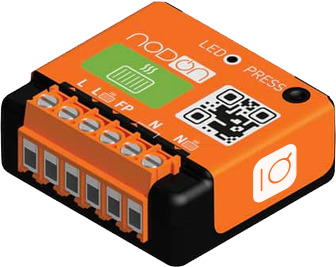
Technical specifications
Power supply: 230V AC ~ 50Hz
Consumption: <1W
Heater maximum power: 3680 W
Metering of Instant power (W) and cumulated Energy (Wh) – (compatible home automation gateway needed)
Radio frequency range: 2.4Ghz
RF power max: +8dBm
Range: up to 30m indoor
Operational temperature: -10°C to 40°C
Protection rating: IP 30
Dimensions: 41 mm (l) x 44 mm (L) x 16.9 mm (h)
Electrical Installation

Certifications and standards
ETSI EN 301 489-17 V.1.1
ETSI EN 300 328 V2.2.2
EN 62368-1: 2014 + A11:2017
ETSI EN 301 489-1 V2.1.1
EN 55032: 2015
EN 55035:2017
EN60669-1:1999+A1:02+A2:08
EN60669-2-1:2004+A1:09+A12:10
EN62479:2010
How to use it ?
Power the SinTS Micromodule and wire it to the heater (as shown above).
Place the Temperature / Luminosity sensor in a 10 meters range distance from the SinTS
Download the Linkio Mesh App from Google Store or Apple Store (for now, only on request)
Start the App, create your realm even with no account. The latter is not required to use our solution.
Pair the SinTS (using Bluetooth). Name it.
Pair the STM500 selecting the QRCode method. When configuring the binding, select the product you just paired (their can be multiple SinTS)
When done, go to Thermostat page (SinTS) and set your Temperature Set point (may be different from each SinTS used).
System is configured. Energy savings can start from now on.
- You may check the solution is working properly with :
When for the Current Temperature to be displayed on the SinTS screen.
Set a new temperature set point below Current temperature. Within 1 or 2 minutes, the SinTS should set the heater to low consumption mode.
Set a new temperature set point above Current temperature. Within 1 or 2 minutes, the SinTS should set the heater to Comfort mode.